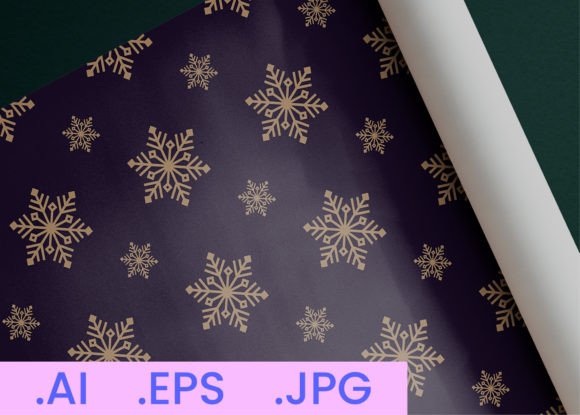
Winter Snowflake DigitalPaper Pattern 18
Hi there—I’m AJ. As a professional graphic designer with years of experience crafting logos, patterns, and visual assets for real-world use, I’ve learned that simplicity, versatility, and technical precision make all the difference—especially when it comes to digital paper patterns. Winter Snowflake DigitalPaper Pattern 18 is built on that principle: clean, scalable, and purpose-built for creators who need reliable, high-fidelity assets without compromise.
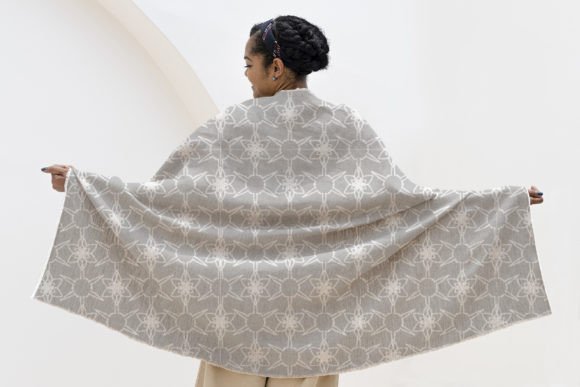
This isn’t just another seasonal decoration. It’s a thoughtfully composed, repeatable snowflake motif designed for seamless tiling—ideal for backgrounds, packaging, textiles, stationery, and print-on-demand (POD) products. The pattern balances delicate detail with strong visual rhythm, so it reads beautifully at both small scales (like gift tags or social media banners) and large formats (think wall art or fabric yardage).
What’s Inside the Package—and Why It Matters
Every file in this package serves a clear functional role:
- JPEG files (800 × 800 px): Ready-to-use, web-optimized previews. Perfect for quick mockups, mood boards, or client presentations where speed matters more than editability.
- AI file (Adobe Illustrator): Fully editable vector layers—including isolated snowflake elements, color swatches, and transparency controls. Change colors, adjust spacing, or extract individual motifs in seconds.
- EPS file (300 DPI): Industry-standard, cross-platform compatible vector format. Trusted by printers, packaging vendors, and production teams for flawless output—no pixelation, no surprises.
All files maintain consistent alignment, spacing, and resolution. No hidden raster layers, no locked objects, no placeholder text. Just clean, production-ready assets you can drop into your workflow immediately.
Creative Applications That Go Beyond “Winter Theme”
Yes, it’s a snowflake pattern—but its utility stretches far beyond holiday cards. Here’s how different users are putting Winter Snowflake DigitalPaper Pattern 18 to work:
- Print-on-Demand Sellers: Use the AI file to create cohesive product lines—matching mugs, tote bags, notebooks, and phone cases—without redesigning each time. Adjust tile size to fit standard POD canvas dimensions (e.g., 4,500 × 5,400 px for large posters), then export crisp JPEGs for upload.
- Packaging Designers: Apply the pattern as a subtle background layer behind product names or nutritional info. Lower opacity (10–15%) for elegance; increase contrast for premium confectionery or artisanal tea boxes.
- Educators & Bloggers: Repurpose individual snowflakes from the AI file as bullet points, section dividers, or printable worksheets. Pair with sans-serif typography for clarity—ideal for winter-themed lesson plans or newsletter headers.
- Freelancers & Small Business Owners: Build brand consistency across touchpoints. Use the same base pattern in light blue for email footers, reverse it to white-on-navy for business cards, and scale it down for social media profile highlights.
How to Adapt It Thoughtfully—Not Just Technically
Technical access doesn’t guarantee great results. To keep your use of Winter Snowflake DigitalPaper Pattern 18 effective and audience-appropriate, consider these practical checks:
- Match tone to context: A soft lavender-and-silver version works for luxury skincare packaging; bold black-and-crimson reads stronger for indie band merch. Use the AI swatches to test palettes before finalizing.
- Respect hierarchy: If pairing with text, ensure contrast meets WCAG 2.1 AA standards (minimum 4.5:1). Test readability at actual usage size—not just on your monitor.
- Think about scale and repetition: For fabric or wallpaper, preview the tile at 100% zoom to spot unintended visual noise. In Illustrator, use “Object > Pattern > Make” to adjust spacing and avoid crowding.
- Keep it original: Don’t just drop the pattern in full. Try cropping tightly around one snowflake for a focal icon. Or overlay a subtle gradient mesh to add depth without losing scalability.
Real Projects, Real Outcomes
A Portland-based stationery shop used Winter Snowflake DigitalPaper Pattern 18 as the base for their limited-edition holiday planner series. They recolored the snowflakes in muted sage and cream, applied them as faint underlays behind handwritten headings, and exported layered PDFs for local print partners—cutting design time by 60% while maintaining handcrafted appeal.
A freelance educator created a set of printable winter science activity cards for grades 3–5. She extracted three unique snowflake variants from the AI file, labeled each with crystal structure terms (dendrite, plate, column), and added QR codes linking to short explainer videos—all within one afternoon.
None of these required advanced coding or custom illustration. Just clear intent, smart file use, and attention to audience needs.
Final Notes for Practical Creativity
If you’re evaluating whether Winter Snowflake DigitalPaper Pattern 18 fits your current project, ask yourself:
- Do I need a pattern that prints cleanly at multiple sizes—without reworking?
- Will my end users see this on screen, in print, or on physical products?
- Do I have the time—or team—to build something like this from scratch?
If the answer to any is “yes,” this pattern saves time without sacrificing quality. It’s not a shortcut—it’s a foundation. And foundations let you focus energy where it counts: refining messaging, testing user response, iterating on layout, or simply shipping sooner.
Design isn’t about having every tool. It’s about choosing the right one—and using it with intention. Winter Snowflake DigitalPaper Pattern 18 was made to be that choice: dependable, adaptable, and quietly versatile.