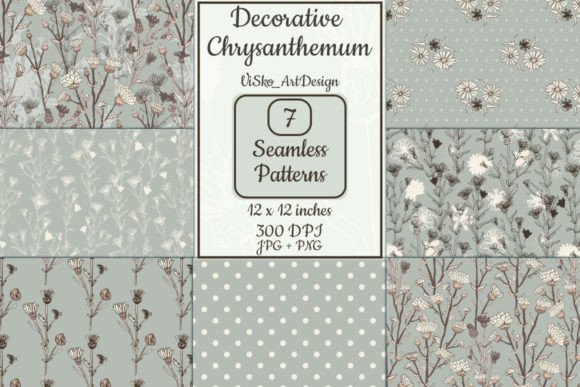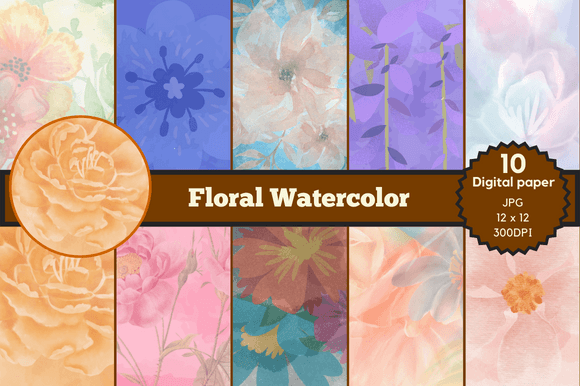
Seamless Pattern Flowers Watercolor
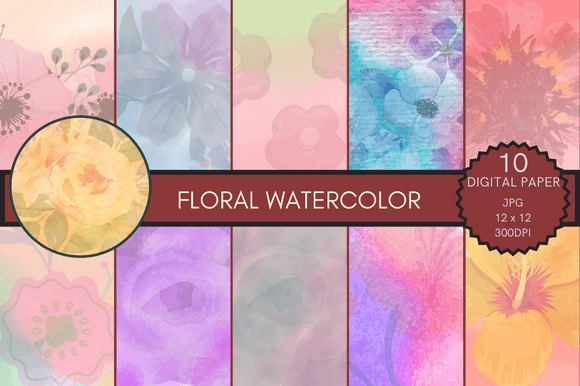
Seamless Pattern Flowers Watercolor refers to a set of high-resolution, tileable digital backgrounds built from hand-painted floral motifs rendered in soft, translucent watercolor textures. Unlike static illustrations or isolated clipart, these patterns repeat infinitely without visible seams—making them ideal for scaling across surfaces, layers, and formats without distortion or repetition fatigue. They’re not just decorative; they’re functional assets designed to integrate into real-world creative and business workflows where visual consistency, print readiness, and adaptability matter.
Where Seamless Pattern Flowers Watercolor Fits in Your Creative Process
Most designers, educators, and small business owners don’t start with patterns—they start with a need: a birthday invitation that feels personal, a product label that conveys handmade warmth, a classroom poster that invites attention without overwhelming, or a social media carousel that stands out in a feed saturated with stock photography. Seamless Pattern Flowers Watercolor enters at the asset layer—early enough to shape tone and cohesion, but late enough to avoid premature commitment to style before messaging or structure is clear.
Before launching into layout or copywriting, many professionals use pattern packs like this one to establish a visual anchor. For example, a wedding stationery designer might select one of the 10 included backgrounds as the base texture for all save-the-dates, menus, and thank-you cards—ensuring continuity across touchpoints while avoiding the time sink of building custom repeats from scratch. Similarly, an educator preparing printable learning kits may apply a subtle floral pattern as a background layer behind activity instructions or flashcards, adding visual interest without compromising readability.
How It Works With Your Existing Tools and Platforms
This pack delivers 10 seamless patterns in JPG format—12×12 inches at 3600×3600 pixels, 300 DPI. That means immediate compatibility with industry-standard tools: Adobe Photoshop and Illustrator (for editing, masking, or vector conversion), Canva (via upload), Affinity Designer, Procreate (with proper canvas setup), and even Microsoft PowerPoint or Google Slides for presentation decks or printable worksheets.
No plugins, no subscriptions, no licensing friction. Each file is self-contained and production-ready. You don’t need to understand tiling algorithms or hex color harmonies to use them effectively—you simply open, place, scale, and adjust opacity or blending mode as needed. Because they’re high-resolution and lossless in quality, they hold up whether you’re printing on premium cardstock or exporting for web banners at reduced dimensions.
For marketers running seasonal campaigns, these patterns serve as modular brand extensions. Pair one with your existing logo palette and typography system, and you’ve instantly elevated email headers, Instagram story templates, or downloadable lead magnets—all without redesigning from zero. The watercolor aesthetic adds approachability and craft-driven authenticity, which resonates especially well with audiences seeking warmth and intentionality over sterile minimalism.
Practical Implementation Tips for Real Projects
Start with purpose, not prettiness. Before choosing a pattern, ask: What role does this background play? Is it supporting text (in which case, lower opacity and softer contrast work best), framing a focal image (try subtle overlays with Multiply or Soft Light blending), or acting as full-bleed branding (select bolder florals with balanced density)? All 10 patterns vary in motif scale, color saturation, and compositional rhythm—so treat them like instruments in an ensemble, not interchangeable wallpaper.
Test early, test often. Import your chosen pattern into your working document *before* finalizing type hierarchy or image placement. A background that looks delicate on screen may dominate when printed at 12×12 inches—or conversely, fade into invisibility behind light-colored text. Adjust brightness, contrast, or layer opacity incrementally. In Canva, use the Transparency slider; in Photoshop, reduce layer opacity to 15–30% for subtlety, or apply a Gaussian blur (0.5–1px) to soften edges if needed.
Organize for reuse—not just once, but across quarters. Create a dedicated folder labeled “Textures & Patterns” in your cloud storage or local drive. Name files descriptively: SPFW_Pattern04_LavenderWash_300DPI.jpg. Tag them in your DAM (Digital Asset Management) tool if you use one. When you revisit the pack months later for a holiday craft kit or client pitch deck, that naming convention saves minutes—and avoids accidental duplication or version confusion.
Integration Into Broader Workflows
For freelancers managing multiple clients, Seamless Pattern Flowers Watercolor reduces decision fatigue during proposal design. Instead of sourcing new assets for every project, maintain a curated library—including this pack—as part of your core toolkit. That way, when a boutique bakery requests packaging mockups, you can apply Pattern #7 (a muted rose-and-eucalyptus repeat) across labels, tags, and delivery notes in under ten minutes—keeping visual identity tight while preserving time for strategic revisions.
Small business owners using Printful or Gelato for on-demand products benefit from the 300 DPI resolution and exact 12×12 inch dimensions. These specs align directly with common print-on-demand template requirements for items like greeting cards, notebooks, and fabric swatches. No resampling, no pixelation, no last-minute panic about bleed zones.
Hobbyists and crafters appreciate the flexibility beyond paper-based uses. Try printing one pattern onto iron-on transfer paper for custom tote bags, or importing it into Cricut Design Space as a fill texture behind cut-out vinyl lettering. Even educators repurpose them as printable borders for bulletin boards or layered PDFs for interactive digital worksheets—blending tactile charm with modern delivery methods.
Long-Term Usability and Quality Control
Because these are JPGs—not PSDs with editable layers or AI-generated outputs prone to artifacting—they offer predictable, stable performance over time. There’s no risk of generative drift, missing fonts, or corrupted smart objects. You download them once, archive them securely, and rely on them across years of projects.
That said, quality control starts with your own workflow hygiene. Always keep original files unedited. Duplicate before adjusting brightness or cropping. If you plan to recolor a pattern, convert it to LAB or HSB mode first (in Photoshop) to preserve luminance integrity—avoid aggressive Hue/Saturation sliders that degrade watercolor nuance.
Also consider scalability: while these patterns excel at 12×12 inch applications, they’re equally effective when scaled down to 4×4 inches for digital stickers or icon backgrounds. Their seamless nature means they adapt—not degrade—when resized. Just ensure your export settings retain 300 DPI for print or 72 DPI for web, depending on final use.
Why This Pack Delivers Beyond Aesthetic Appeal
The 10-pattern structure isn’t arbitrary—it reflects intentional variation in mood and utility. Some lean botanical and airy, others richer and more saturated. One features sparse single blooms ideal for minimalist branding; another layers overlapping petals for depth in editorial layouts. This range supports iterative decision-making: try Pattern #2 for your initial mockup, then swap to #9 for the client presentation to show tonal flexibility without rebuilding layouts.
And because they’re watercolor-based—not vectorized or digitally generated—they carry organic imperfection: slight pigment blooms, gentle granulation, and soft edge transitions. That human signature builds trust. In a world of algorithmically optimized visuals, these patterns quietly signal care, craft, and intention—qualities that resonate deeply with audiences aged 20–50 who value authenticity in both products and communication.
Whether you’re designing a child’s birthday banner, prepping a conference handout, or building a Shopify product page, Seamless Pattern Flowers Watercolor works *with* your process—not against it. It doesn’t replace strategy or writing or user research. It supports them. It makes execution smoother, output more cohesive, and iteration faster—without asking you to learn a new platform or change how you already work.