Watercolor Lavender Seamless Pattern
Watercolor Lavender Seamless Pattern is more than a decorative asset—it’s a functional design element built for integration. Designed as hand-painted digital illustrations, each pattern flows naturally at the edges, enabling infinite tiling without visible seams. This isn’t just aesthetic polish; it’s technical readiness. When you’re preparing assets for print-on-demand platforms, client presentations, or branded merchandise, seamlessness translates directly to production efficiency—no manual editing, no alignment guesswork, no last-minute fixes before upload.
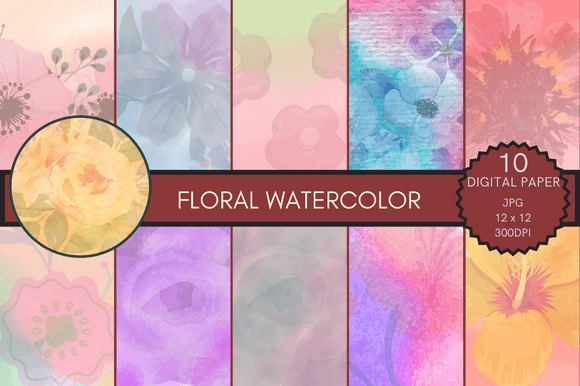
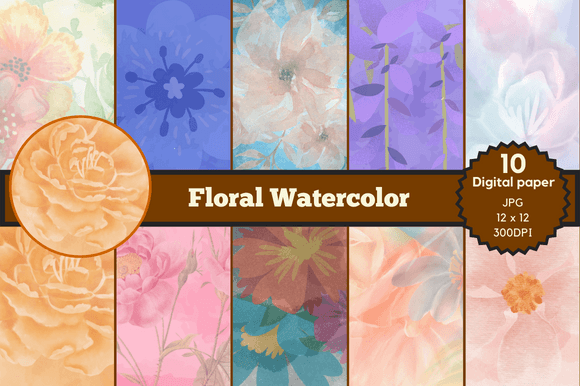
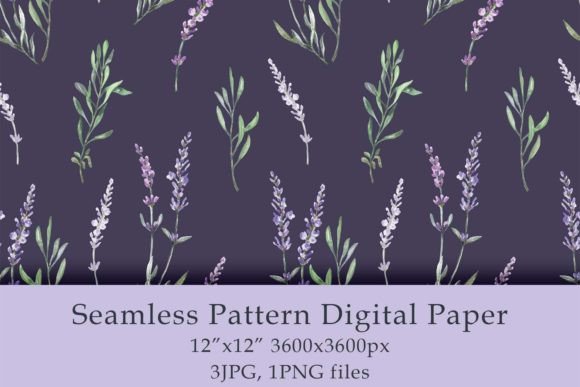
The Watercolor Lavender DIGITAL PAPER PACK delivers exactly what creators need to move from concept to output: three high-resolution JPG files and one transparent PNG—all at 300 dpi and sized to 12×12 inches. That standard sheet size aligns with industry norms for scrapbooking paper, textile repeats, and print-ready surface designs. Because it’s an instant download, there’s no waiting for shipping confirmation, no customs delays, no physical inventory to manage. You purchase, download, and implement—often within minutes of decision-making.
How It Fits Into Real Creative Workflows
For freelancers designing custom stationery for a wedding brand, the Watercolor Lavender Seamless Pattern serves as a consistent textural foundation—not just for invitations, but for matching envelopes, thank-you cards, and digital social assets. The lavender tone carries calm sophistication, while the watercolor texture adds organic warmth. Unlike vector-based patterns that can feel sterile, this pack retains painterly variation: subtle granulation, soft edges, and gentle pigment pooling. That nuance matters when your audience values authenticity over perfection.
Small business owners launching a wellness-themed product line—think herbal teas, yoga mats, or aromatherapy packaging—use these patterns to reinforce brand cohesion across touchpoints. A single pattern can scale from a phone case mockup to a full tote bag print, then down to a subtle watermark on an email newsletter background. Because all files are 300 dpi and 12×12 inches, resizing maintains fidelity whether you’re exporting for Etsy listings (72 dpi web previews) or sending press-ready files to a local printer (300 dpi CMYK PDFs).
Compatibility and Cross-Platform Use
This pack works natively in Adobe Photoshop, Illustrator, Affinity Designer, Procreate, Canva, and most desktop publishing tools. The JPG files offer fast loading and universal compatibility—ideal for quick mockups or drag-and-drop use in presentation decks. The PNG file adds flexibility where transparency matters: overlaying the pattern onto photos in marketing banners, creating layered textures in branding guidelines, or building reusable UI elements in Figma (by importing as image fills).
No conversion steps are required. You won’t need to remove backgrounds, adjust resolution, or re-tile manually—the seamless property is baked in. That saves time during batch production. For example, if you’re generating ten variations of a mug design for a Shopify store, applying the same Watercolor Lavender Seamless Pattern across each variant ensures visual continuity without duplicating effort. Consistency becomes automatic, not aspirational.
Preparation and Organization Best Practices
Before diving into a project, organize your downloaded files with intention. Rename them clearly—e.g., lavender-watercolor-seamless-jpg-01, lavender-watercolor-seamless-png—and store them in a dedicated “Textures & Patterns” folder nested under your broader design resources library. This supports long-term usability: six months later, when you revisit a brand refresh, you’ll locate the exact file without scrolling through generic downloads.
Consider creating a lightweight style guide snippet for internal or client use. Note the hex value of the dominant lavender tone (if extracted), list compatible fonts (e.g., light serifs like Playfair Display or airy sans-serifs like Lato), and specify minimum safe margins for repeat applications—especially important for apparel prints where fabric stretch affects pattern alignment. These small documentation habits compound value over time.
Implementation Tips for Different Roles
- Bloggers & Educators: Use the PNG file as a subtle background for quote graphics or course module headers. Its transparency allows text to remain legible while adding visual interest—no competing contrast or visual noise.
- Product Designers: Import the JPG into Figma or Sketch as a fill for buttons, cards, or section dividers. Adjust opacity to 5–10% for a whisper of texture beneath clean typography.
- Print-on-Demand Sellers: Upload the 12×12 inch files directly to Printful, Gelato, or Gooten. Their systems auto-tile the pattern across garment surfaces—no additional tiling software needed. Just verify bleed and safe zone settings match your provider’s specs.
- Hobbyists & Crafters: Print the JPG files on cardstock for handmade greeting cards or decoupage projects. Since they’re 300 dpi, home inkjet printers render fine detail well—just select “high-quality photo” mode and matte paper for best results.
Quality Control and Long-Term Use
Because these are hand-painted originals—not AI-generated or algorithmically repeated—each pattern holds unique character. That means no two placements look identical under close inspection, which enhances perceived craftsmanship. But it also means checking for consistency *across* the three JPG files before committing to large-scale use. Open them side-by-side in Photoshop and toggle layer opacity to compare saturation, contrast, and pigment density. Minor differences are normal—and often desirable—but major shifts may signal a need to standardize color profiles (assign sRGB IEC61966-2.1 for web, Adobe RGB 1998 for professional print).
For long-term projects—like an annual planner series or seasonal product drops—save a master version of each file with embedded metadata: creator name, date of download, license scope, and intended usage notes. Most design apps let you add XMP metadata via File > File Info. This supports accountability, especially if multiple team members access shared assets.
Efficiency Gains You’ll Notice Immediately
You’ll see time savings in three concrete places: setup, iteration, and delivery. Setup drops from 20+ minutes (searching, downloading, testing, correcting) to under two. Iteration speeds up because you’re working with a known, trusted asset—not experimenting with new textures mid-deadline. Delivery improves because clients receive polished, production-ready files instead of placeholders or low-res mocks.
That efficiency compounds when combined with other tools. Pair the Watercolor Lavender Seamless Pattern with a well-structured template library, a standardized export preset (e.g., “POD-Ready JPG – 300dpi – sRGB”), and a cloud-synced asset folder. Suddenly, what used to be a fragmented, context-switching task becomes a streamlined sequence: open template → drop in pattern → adjust color balance if needed → export → upload.
Final Integration Consideration
Don’t treat this pack as a one-off decoration. Treat it as infrastructure. Like choosing a reliable font family or defining a core color palette, selecting a versatile, high-quality seamless pattern sets foundational constraints that improve decision speed and reduce visual fatigue. Over time, you’ll recognize how often the Watercolor Lavender Seamless Pattern solves problems before they arise—whether it’s unifying mismatched photography, softening harsh layouts, or giving minimalist designs quiet depth.
It doesn’t replace strategy. It supports it. And in workflows where attention is scarce and deadlines are real, that kind of quiet reliability is rarely overrated.